

HubSpot vs Pipedrive: We Used Both for 30 Days — Here’s the Verdict
In this HubSpot vs Pipedrive comparison, we ran paid accounts on both for 30 days, side by side, entering the same deals into each system to see where they actually diverge. Choosing between the two usually comes down to one question: does your team need a full sales-and-marketing platform, or just a clean pipeline to move deals through?
Quick Verdict:
- HubSpot NudgeScore: 8.0/10 — better for growing teams that will eventually need marketing tools too
- Pipedrive NudgeScore: 7.8/10 — better for teams that want sales-only focus without extra bloat
HubSpot vs Pipedrive: What Each Tool Actually Is?
HubSpot is the free core of a much larger platform, with paid Hubs covering sales, marketing, and service separately. Its CRM works well alone, but the product is built with the expectation that a team may eventually add Marketing Hub or Service Hub on top.
Pipedrive is built around one job: the sales pipeline. There’s no bundled marketing suite waiting behind the pricing page, and every part of the interface is designed around moving a deal from one stage to the next.
Our full HubSpot CRM review and Pipedrive review cover each tool individually in more depth than we can fit here.
Pricing Comparison
Pricing structures for both tools change periodically, so treat the numbers below as general positioning rather than a fixed quote, and check each company’s own pricing page before budgeting.
| HubSpot | Pipedrive | |
|---|---|---|
| Entry point | Free CRM, paid Hubs layered on top | Paid from day one after trial |
| Where cost jumps | Starter to Professional (sequences, reporting, forecasting bundled) | Per-seat cost scales with headcount and automation needs |
| Best value at | Small free-tier use, or full Professional-tier commitment | Small to mid-size sales-only teams |
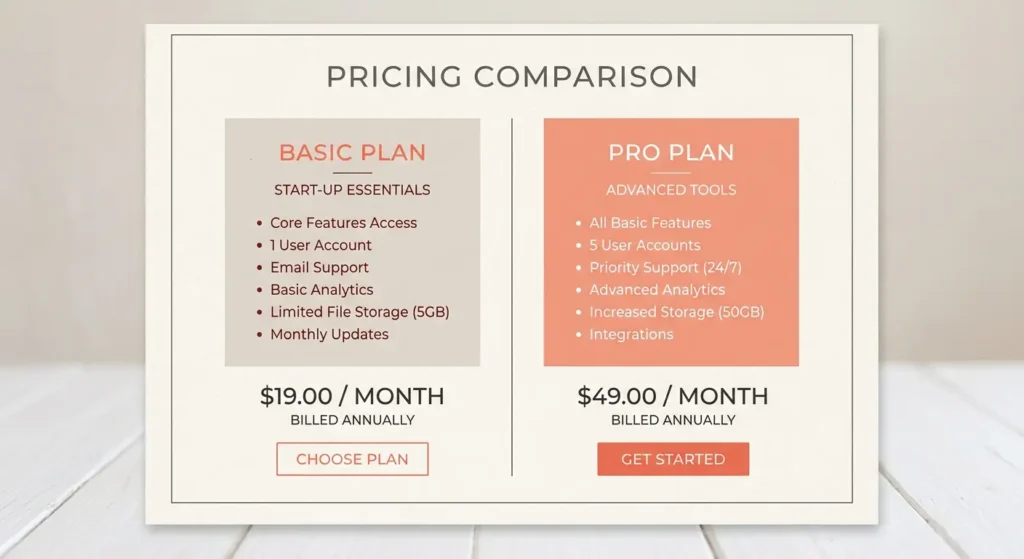
HubSpot’s free plan makes it cheaper to start, but the jump to Professional is steep once a team needs automation. Pipedrive has no free tier, but its entry paid plan is a fully functional pipeline rather than a stripped-down teaser.
Feature-by-Feature Comparison
Pipeline Management
Both tools handle drag-and-drop pipeline stages well. Pipedrive’s pipeline felt slightly faster to customize from scratch, since there’s no Hub-switching involved. HubSpot’s pipeline is equally capable but sits inside a broader set of tools that take longer to get oriented in initially.
Automation
HubSpot’s automation is more powerful once you’re on Professional, with more conditional logic and cross-Hub triggers available. Pipedrive’s automation is simpler to set up quickly but caps out sooner on lower tiers.
Reporting
HubSpot’s custom reporting, once built, produces the more detailed dashboards of the two, useful for teams that need to report on marketing alongside sales. Pipedrive’s reporting is more limited but easier to build without a learning curve.
Email and Communication
Both sync cleanly with Gmail and Outlook. HubSpot’s email tools lean toward broader marketing use, including templates built for campaigns. Pipedrive’s email tools stay focused on one-to-one sales follow-ups.
Where Each Tool Wins
HubSpot wins if:
- Your team expects to need marketing tools within the next year
- You want one platform to scale into as the team grows, rather than switching tools later
- You can absorb Professional-tier pricing once you outgrow the free plan
Pipedrive wins if:
- Your team’s only need is a clean, fast sales pipeline
- You want predictable per-seat pricing without a steep free-to-paid cliff
- You’d rather use separate best-in-class tools for marketing than one bundled platform
Our Verdict: HubSpot or Pipedrive?
For a growing team that expects to need marketing automation eventually, HubSpot is the better long-term investment despite the steeper price jump at the Professional tier. For a team whose only real need is moving deals through a pipeline without distraction, Pipedrive does that one job with less setup time and less unnecessary complexity.
Neither tool is a clear universal winner — the right choice depends on whether your team’s roadmap includes marketing needs or stays purely sales-focused. Freelancers and very small teams evaluating lighter options should also see our best CRM for freelancers roundup, which covers both tools alongside lighter alternatives.
Frequently Asked Questions
Can I switch from Pipedrive to HubSpot later without losing data?
Yes, contact and deal data can be exported from Pipedrive as CSV files and imported into HubSpot, though custom fields and historical activity logs typically need manual mapping during the switch.
Is HubSpot’s free plan actually comparable to Pipedrive’s paid entry plan?
Not entirely. HubSpot’s free plan covers basic CRM functions but lacks the automation depth of Pipedrive’s entry paid plan, so the comparison depends on which specific features a team needs on day one.
Which tool has a shorter learning curve for a brand-new sales team?
Pipedrive tends to be quicker to get comfortable with, since the interface only covers pipeline management. HubSpot has more to learn upfront because of the broader platform sitting around the CRM.
Do both tools integrate with the same third-party apps?
Both integrate with common tools like Gmail, Outlook, and Slack natively. HubSpot generally has a wider native integration library, while Pipedrive relies more often on connectors like Zapier for less common integrations.
Is one tool clearly cheaper than the other for a 5-person team?
It depends on feature needs. Pipedrive’s per-seat pricing is often more predictable for a 5-person team with basic needs, while HubSpot can be cheaper if the team stays mostly on the free CRM without needing Professional-tier features.
Can a team use both tools at the same time during a trial period?
Yes, and that’s effectively what we did for this comparison — running both in parallel for 30 days is a reasonable way to compare real workflows before committing to either one long-term.
Affiliate Disclosure: SaasNudge may earn a commission if you purchase through links on this page. We only recommend tools we’ve personally tested on paid accounts.